Table of Contents


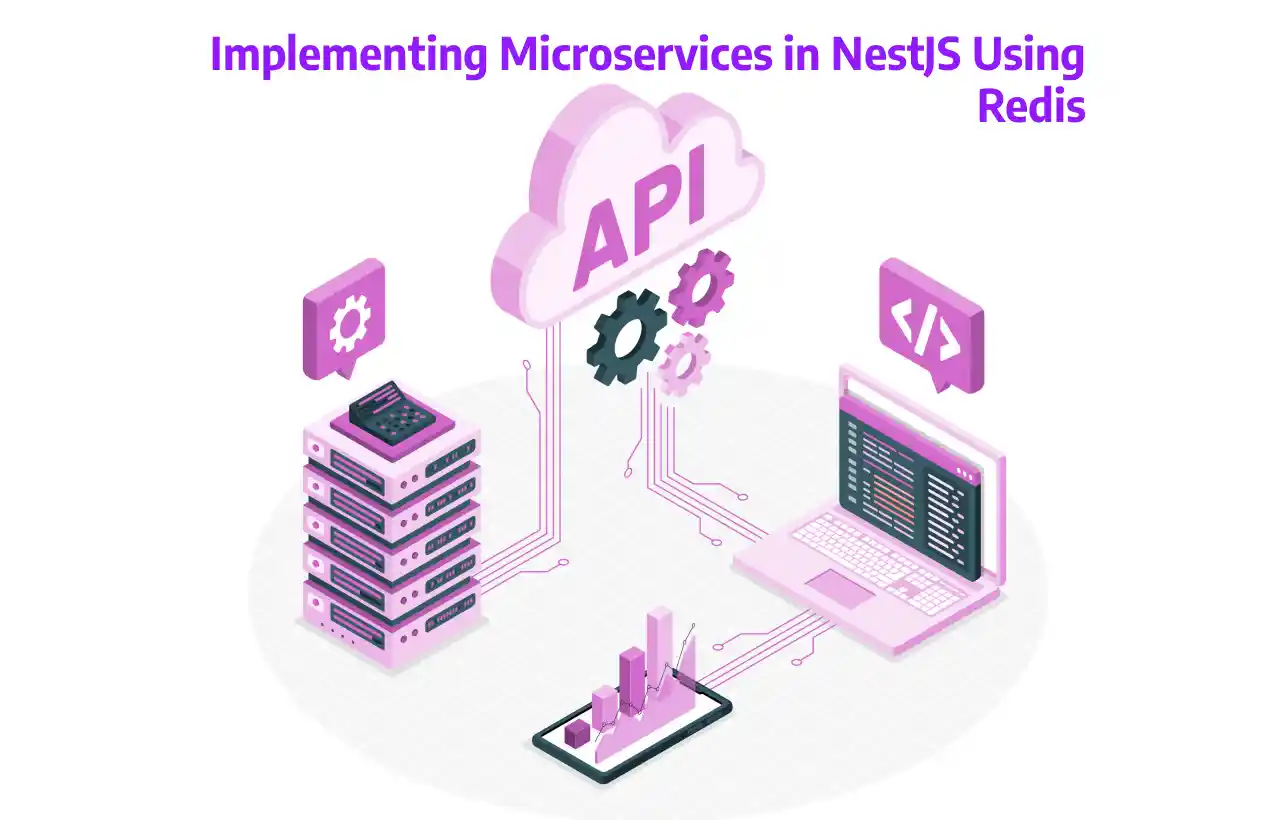
Implementing Microservices in NestJS using Redis

Introduction

Microservices architecture enables building applications as a collection of loosely coupled, independently deployable services. In this project, we will implement NestJS microservices and use Redis as a message broker to handle communication between services.

This setup demonstrates both request–response and event-driven messaging patterns, ensuring that services remain independent, scalable, and easy to maintain. Using Redis simplifies message passing while providing a lightweight and fast solution for microservices communication.

What is Redis?

Redis is an open-source, in-memory data structure store that can function as a database, cache, and message broker. It is widely used in modern applications for its speed and simplicity.

Key Features

Extremely fast and lightweight – ideal for real-time applications

Supports Pub/Sub messaging – perfect for communication between microservices

In-memory storage with optional persistence – ensures high performance while retaining data durability

Easy to install and use – minimal setup required for development and production

Redis is especially useful in microservices architectures for event-driven communication, caching frequently accessed data, and handling lightweight message queues.

Why Use Redis in Microservices?

Using Redis as a message broker provides several benefits:

Lightweight & fast – minimal latency between services

Easy local setup – no complex infrastructure required

Built-in NestJS support – simplifies microservice creation

Flexible communication patterns – supports both request-response and event-based messaging

Loose coupling – services remain independent; failure of one does not crash others

Note: Redis is simpler than Kafka and not as durable. It's perfect for learning, prototypes, and many real-world apps where high durability is not critical.

What We Will Build

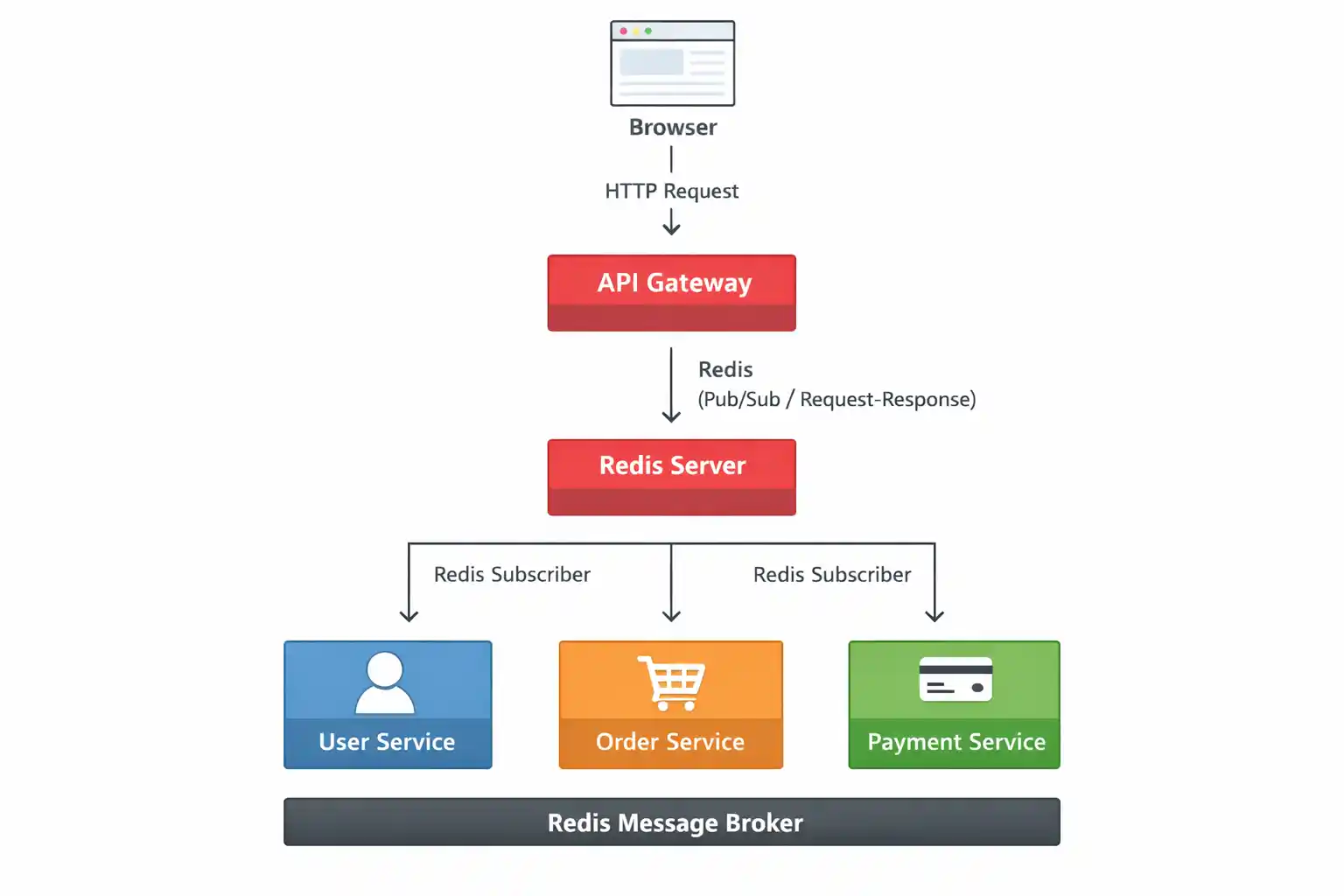
In this tutorial, we will create four NestJS microservices that communicate via Redis:

User Service – Manages user-related operations

Order Service – Handles order creation and management

Payment Service – Processes payments and transactions

API Gateway – Acts as a single entry point for client requests

Redis will serve as the message broker, enabling both request–response and event-driven Pub/Sub communication between services.

Architecture Overview (Redis)

Prerequisites

Node.js installed

NestJS CLI installed

Redis installed locally (no Docker required)

Step 1: Install NestJS CLI


npm i -g @nestjs/cli					

Choose npm or yarn and enable TypeScript.

Step 2: Create NestJS Applications

  1. 3 Microservices
  2. API Gateway – Client

Create four separate projects:

#1 nest new user-service

#2 nest new order-service

#3 nest new payment-service

#4 nest new api-gateway

Now we have 4 independent services (true microservices).

Step 3: Install Redis Dependencies

Run this in ALL four projects:


npm install @nestjs/microservices ioredis					

Step 4: Install & Run Redis (Without Docker – Windows Friendly)

Redis does not officially support native Windows installers anymore, but a stable, production-tested Windows build is available and widely used for development.

We will install Redis using a ZIP package.

1. Download Redis for Windows

Download Redis from the maintained Windows build:

https://github.com/tporadowski/redis/releases

Example: Redis-x64-5.0.14.1.zip (or the latest available ZIP version)

2. Extract Redis

Recommended path: C:\Redis

Inside, you should see redis-server.exe and redis-cli.exe.

3. Start Redis Server

Open CMD, not PowerShell:


cd C:\Redis
redis-server.exe						

Expected output: Ready to accept connections

4. Verify Redis is Running

Open a new CMD window and run:


cd C:\Redis
redis-cli.exe
ping					

Expected output: PONG

Redis is now running at localhost:6379.

Step 5: Create User Service (Redis Consumer)

open user-service/src/main.ts


import { NestFactory } from '@nestjs/core';
import { AppModule } from './app.module';
import { MicroserviceOptions, Transport } from '@nestjs/microservices';

async function bootstrap() {
  const app = await NestFactory.createMicroservice<MicroserviceOptions>(
    AppModule,
    {
      transport: Transport.REDIS,
      options: {
        host: 'localhost',
        port: 6379,
      },
    },
  );

  await app.listen();
  console.log('User Service running with Redis');
}
bootstrap();				

open user-service/src/app.controller.ts


import { Controller } from '@nestjs/common';
import { MessagePattern } from '@nestjs/microservices';

@Controller()
export class AppController {

  @MessagePattern('get_users')
  getUsers() {
    console.log('Redis get_users event received');
    return [
      { id: 1, name: 'Amit' },
      { id: 2, name: 'Rahul' },
    ];
  }
}				

Step 6: Create Order Service (Redis Consumer)

open order-service/src/main.ts


import { NestFactory } from '@nestjs/core';
import { AppModule } from './app.module';
import { MicroserviceOptions, Transport } from '@nestjs/microservices';

async function bootstrap() {
  const app = await NestFactory.createMicroservice<MicroserviceOptions>(
    AppModule,
    {
      transport: Transport.REDIS,
      options: {
        host: 'localhost',
        port: 6379,
      },
    },
  );

  await app.listen();
  console.log('Order Service running with Redis');
}
bootstrap();					

open order-service/src/app.controller.ts


import { Controller } from '@nestjs/common';
import { MessagePattern } from '@nestjs/microservices';

@Controller()
export class AppController {

  @MessagePattern('get_orders')
  getOrders() {
    console.log('Redis get_orders event received');
    return [
      { id: 1, item: 'Laptop' },
      { id: 2, item: 'Phone' },
    ];
  }
}					

Step 7: Create Payment Service (Redis Consumer)

open payment-service/src/main.ts


import { NestFactory } from '@nestjs/core';
import { AppModule } from './app.module';
import { MicroserviceOptions, Transport } from '@nestjs/microservices';

async function bootstrap() {
  const app = await NestFactory.createMicroservice<MicroserviceOptions>(
    AppModule,
    {
      transport: Transport.REDIS,
      options: {
        host: 'localhost',
        port: 6379,
      },
    },
  );

  await app.listen();
  console.log('Payment Service running with Redis');
}
bootstrap();					

open payment-service/src/app.controller.ts


import { Controller } from '@nestjs/common';
import { MessagePattern } from '@nestjs/microservices';

@Controller()
export class AppController {

  @MessagePattern('get_payments')
  getPayments() {
    console.log('Redis get_payments event received');
    return [
      { id: 1, amount: 5000, status: 'SUCCESS' },
      { id: 2, amount: 2000, status: 'PENDING' },
    ];
  }
}					

Step 8: API Gateway (Redis Client)

open api-gateway/src/app.module.ts


import { Module } from '@nestjs/common';
import { ClientsModule, Transport } from '@nestjs/microservices';
import { AppController } from './app.controller';

@Module({
  imports: [
    ClientsModule.register([
      {
        name: 'USER_SERVICE',
        transport: Transport.REDIS,
        options: { host: 'localhost', port: 6379 },
      },
      {
        name: 'ORDER_SERVICE',
        transport: Transport.REDIS,
        options: { host: 'localhost', port: 6379 },
      },
      {
        name: 'PAYMENT_SERVICE',
        transport: Transport.REDIS,
        options: { host: 'localhost', port: 6379 },
      },
    ]),
  ],
  controllers: [AppController],
})
export class AppModule {}					

open api-gateway/src/app.controller.ts


import { Controller, Get, Inject } from '@nestjs/common';
import { ClientProxy } from '@nestjs/microservices';
import { firstValueFrom } from 'rxjs';

@Controller()
export class AppController {

  constructor(
    @Inject('USER_SERVICE') private readonly userService: ClientProxy,
    @Inject('ORDER_SERVICE') private readonly orderService: ClientProxy,
    @Inject('PAYMENT_SERVICE') private readonly paymentService: ClientProxy,
  ) {}

  @Get('users')
  getUsers() {
    return firstValueFrom(this.userService.send('get_users', {}));
  }

  @Get('orders')
  getOrders() {
    return firstValueFrom(this.orderService.send('get_orders', {}));
  }

  @Get('payments')
  getPayments() {
    return firstValueFrom(this.paymentService.send('get_payments', {}));
  }
}					

Step 9: Run Applications (Order Matters)

  1. Start Redis
  2. Start each service in separate terminals:

1# cd user-service && npm run start

2# cd order-service && npm run start

3# cd payment-service && npm run start

4# cd api-gateway && npm run start

Step 10: Test in Browser

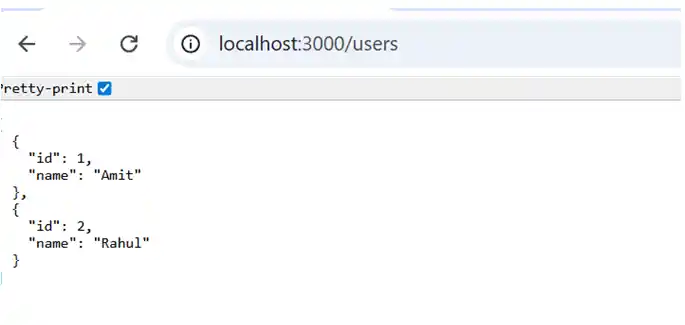
http://localhost:3000/users

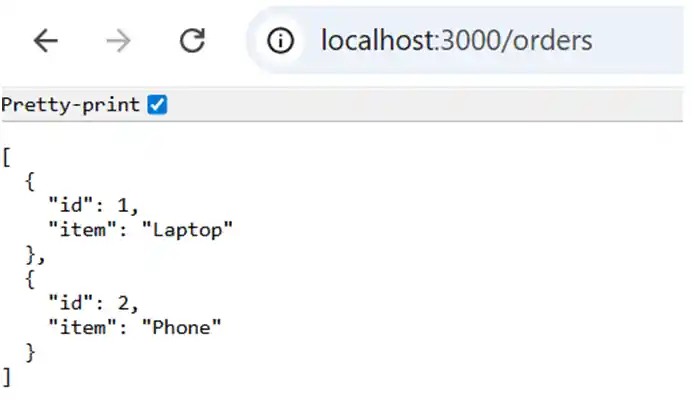
http://localhost:3000/orders

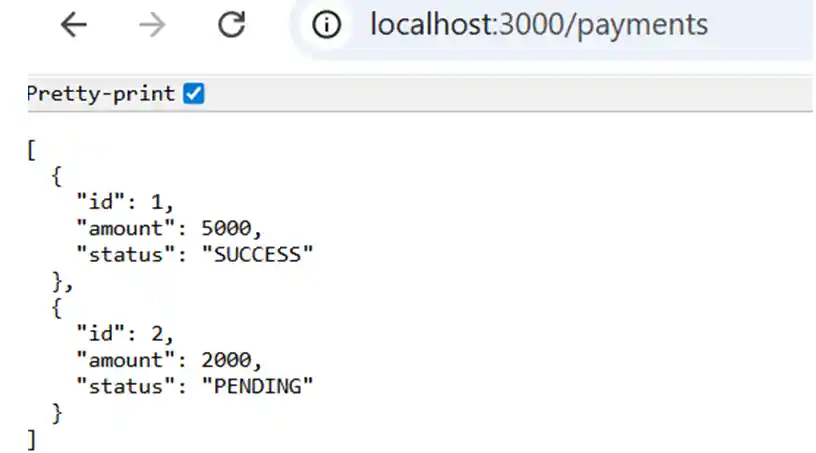
http://localhost:3000/payments

Now you will see data coming from the microservice, like

#1 For User

#2 For Orders

#3 For Payments

What Happens If One Service Stops?

Stop Order Service

Users & Payments still work

Redis stays running

No system crash

Loose coupling achieved

Redis vs Kafka vs gRPC: Comparison for Microservices

When choosing a communication method for your NestJS microservices, it’s important to understand the strengths and limitations of Redis, Kafka, and gRPC. Below is a comparison based on common features and real-world usage.

Feature Redis Kafka gRPC
Setup Easy to install and configure Requires broker cluster setup Requires Protobuf files and service definitions
Speed In-memory, very fast High throughput, but broker adds latency Low-latency binary RPC
Persistence ❌ (Primarily in-memory) ✅ (Durable log storage) ❌ (No built-in persistence)
Streaming ❌ (Not designed for event streaming) ✅ (Native support for event streams) ❌ (Request–response only)
Strong Typing ✅ (Uses Protocol Buffers for type safety)
Best For Simple message queues, lightweight Pub/Sub Event-driven architectures, high-throughput streams Internal synchronous RPC between microservices

Deployment Reality

When deploying microservices using these communication methods, there are practical considerations:

Summary

Use Case Recommended Communication
Lightweight, fast message queue Redis
Event streaming, analytics, high-volume messaging Kakfa
Synchronous API calls with strong typing gRPC

Choosing the right communication layer depends on service requirements, scale, and deployment constraints. Often, real-world systems use a combination of these technologies:

Kafka for events,

gRPC for internal APIs,

Redis for caching and lightweight queues.

Conclusion

In this project, we:

Built Redis-based NestJS microservices

Used Redis as a message broker

Implemented API Gateway pattern

Compared Redis with Kafka & gRPC

Learned real deployment constraints

Ready to Build Something Amazing?

Get in touch with Prishusoft – your trusted partner for custom software development. Whether you need a powerful web application or a sleek mobile app, our expert team is here to turn your ideas into reality.

image